
Home > Blog > Reviews > Trello Review: Simplify Planning Visually

If you’re someone who loves visual tools to help you stay organized, Trello might just be the project management tool for you. As a visual organization tool, Trello offers a range of features that make it easy to manage tasks, track workflows and collaborate with teams. In this review however, We’ll take a closer look at Trello’s features and how they’ve helped me personally. This is my own unsponsored opinion.

What is Trello and how is it helpful?

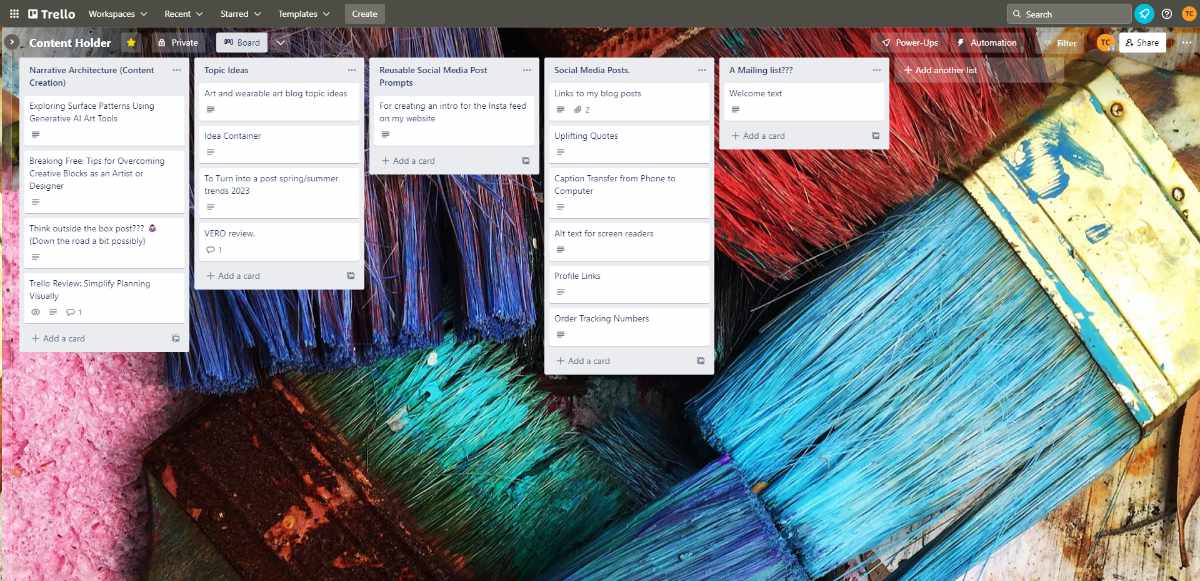
A example of a Trello board.
An example of one of my Trello boards. I use this one for blog and social media planning. You have the option to customize the background. In this case, a macro photo of paint brushes.

Trello is a project management tool that uses visual boards, lists, and cards to help you organize your projects and tasks. It’s a web-based application that allows users to create and manage their own boards, and invite others to collaborate on those boards.

Trello is great for team collaboration, but in this review, we’ll focus on how it has helped me as an individual. Trello offers a free plan, which is what I currently use. There are also three paid plans that offer more features for those who need them.

Streamline and Organize Your Ideas

Organize all those lightbulb moments with Trello.
A lightbulb moment organizer! This is my main use for Trello. To gather my ideas and organize them the way I need to.

One of the main features that drew me to Trello was its visual lists and drag-and-drop cards. These features have been a massive help to me in organizing my ideas for art and design projects, blog posts, social media posts, and more. With Trello, I can create a board for each project, and then create a list for each stage of the project. I can then add cards to each list with notes, ideas, images, links, and more. I use it daily mainly for this purpose.

Brainstorming has never been easier or more fun. Not to mention a huge time saver. With Trello, I can simply throw my ideas into a list, add descriptions, images, links, and more, and then drag and drop them into the appropriate list. This makes it easy to get a clearer picture of the project and to keep everything organized.

Content Calendars and Event Planning Simplified

Trello is an excellent tool for content creation and event planning. You can create a board for every calendar or occasion, and plan each stage of the process by creating lists. Each list can hold cards with useful information such as notes, deadlines, and images.

Using Trello for content calendars and event planning proves to be an extremely efficient method. Hence, I recommend it to anyone looking for a tool to keep everything organized, accessible, and easily manageable.

Research and Studying Made Easier

Trello is a fantastic tool for organizing research and studying. By creating a board for each research project or subject, you can easily keep track of your progress. Within each board, you can also create lists for each stage of the research or studying process. This way, you can add cards to each list with notes, sources, deadlines, and other important information as you go along.

Using Trello for research and studying makes the process much more manageable and allows you to keep everything in one place. By breaking down each project or subject into smaller tasks, you can stay focused and on track towards completing your goals.

Mobile Apps for On The Go Convenience

Trello is also available in mobile app form, which makes it incredibly convenient for me to stay organized. With the iOS and Android apps, I can quickly add new tasks or ideas to my boards, even if I’m away from my computer. This feature has been a lifesaver when I’m out and about and remember something important that I need to jot down.

In addition, the Trello mobile app allows for seamless note transfer between my phone and computer. Instead of emailing myself notes or ideas, I can simply use the app to move them from one device to the other. This has saved me time and energy and helped me stay on top of my projects.

It's Great for Visual Thinkers and Learners

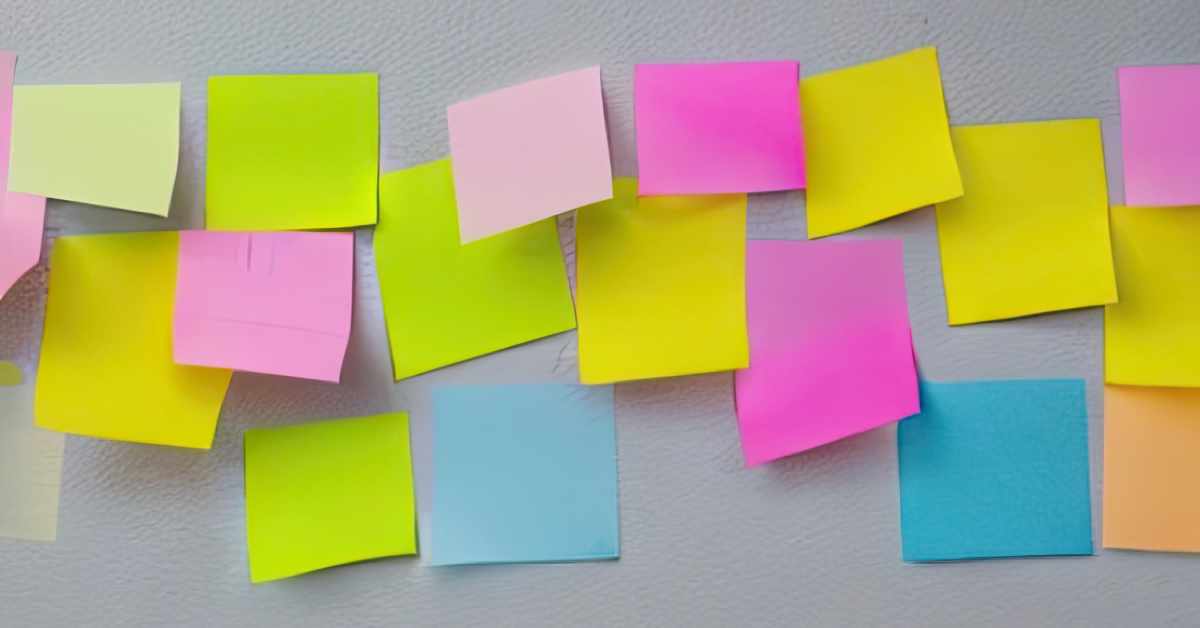
Tello is a convenient alternative to sticky notes on a wall.
Trello helps you organize you stuff more conveniently than the old sticky notes on a wall routine.

In conclusion, Trello is a fantastic tool for visual thinkers and learners who need help organizing their projects and tasks. Its visual boards, lists, and cards make it easy to keep everything organized, and its mobile app makes it convenient to use on-the-go. If you’re looking for a project management tool, I highly recommend giving Trello a try.

What other creative ways can you use Trello to organize your personal and professional projects? Share your ideas in the comments below!

More From Art and Design By Teresa Cowley
A group of three colleagues gathered around a laptop in a modern office setting. A man in a blue suit and tie is seated, smiling, and gesturing towards the laptop screen while speaking. Two women, one in a light blue shirt and the other in a white blouse, stand on either side of him, leaning in and looking at the screen attentively. Papers with charts and graphs are scattered on the desk in front of them. The background features a light wooden wall.
Harnessing Talent to Amplify Sales
Unlock your business's full potential by harnessing top talent and streamlining sales strategies! Discover...
A vector graphic image of a fancy art deco style perfume bottle displayed on a frosted glass bottle sitting on a table with a blank wall in the background.
Vector Graphic Visions: Creative Insights
Dive into the future of graphic design with my latest blog post! I'm sharing my unique journey in creating...
A person wearing a gray hoodie and glasses is painting on a large canvas in a dimly lit art studio filled with framed artworks on the walls and stacks of books and canvases. The painting features bold, abstract brush strokes in blue, orange, and white. Surrounding the artist are numerous floating social media posts with blue checkmarks, indicating verified users. The posts have random text, giving the impression of engagement or commentary. Large red heart icons are scattered throughout the image, symbolizing likes or appreciation. The overall composition suggests a theme of the impact social media on has on artists.
An Artist’s Algorithm Struggle is Real
Struggling to stand out as an artist on social media? Dive into my journey of balancing creativity with...
Categories: ReviewsUncategorized

Digital artist and graphic designer, Teresa Cowley

My name is Teresa Cowley, and I'm a digital artist and graphic designer from Vancouver Island, Canada. I focus on abstract and fantasy art as well as digital collage, and like to utilize AI art tools as part of my design process to create new, innovative pieces of art. I strive to create new, unique designs that tell imaginative stories, and I am eager to push the boundaries of what can be expressed with art and technology.

0 Comments

Leave a Reply

Avatar placeholder

Your email address will not be published. Required fields are marked *