Home > Blog > Art and Design Inspiration > Make Your Images Stand Out Online: 6 Art and Design Tips

How to Make Your Images Stand Out Online

In today’s digital age, having high-quality images on your website or social media platforms is more important than ever. With so much competition, it can be difficult to make your images stand out online. However, with a few art and design tips, you can create visually striking images that capture the attention of your audience. Here are some ideas on how to make your images pop from an art and design perspective.

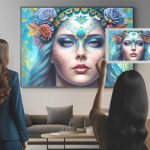
Make your images stand out on line.
Creating a great online image is important. Use quality visuals, eye-catching design, and the right strategy to build your brand and stand out to your audience.
1. Choose the Right Colours:

One of the most important elements of any image is its colour palette. Choose colours that complement each other and create a cohesive look. Use tools like Adobe Color or Color Hunt to find colour schemes that work well together. Consider the mood you want to convey with your image and choose colours that reflect that mood. Bright, bold colors can create a sense of excitement and energy, while muted, pastel colors can create a calming and peaceful vibe.

2. Use Composition

Likewise, the composition of your image is another important aspect to consider. The rule of thirds is a composition technique that divides an image into three equal parts vertically and horizontally, resulting in nine equal parts overall. By placing the subject or focal point in one of the intersecting points, you create a more balanced and dynamic image. This helps to draw the viewer’s eye towards the subject, making it stand out among other online content. CareerFoundery has a great in depth guide on how to use the rule of thirds in design.

3. Add Texture

In addition to colour and composition, adding texture to your images can make them standout online by creating visual interest and depth. Texture can add a tactile element to your photographs or graphics, making them more engaging and memorable. It can also help convey a mood or tone, and create a feeling of depth or dimensionality. Textures can be added through filters or overlays, or by using textured backgrounds, such as wood or paper. Overall, adding texture can enhance the visual impact of your images, making them more noticeable and memorable online.

4. Consider Typography

Furthermore, if your image includes text, pay attention to the typography. Using typography effectively involves selecting the right font that complements your message, using contrasting colors, keeping it simple, creating visual hierarchy with font size and weight, and establishing balance in the design by arranging text elements in an uncluttered manner with enough white space to make it easy to read. By following these tips, you can enhance the appearance and impact of your images that contain text.

5. Use Lighting

Moreover, the use of lighting in design can significantly enhance the overall quality and appeal of your images online. By using appropriate lighting techniques, you can create a mood, highlight specific elements, and add depth to your design. For example, soft lighting can enhance the beauty of a product image or portrait, while dramatic lighting can create a sense of tension or intrigue. Canva has some great tips on how to use lighting effectively without overdoing it.

6. Be Unique

Finally, the most important thing you can do to make your images stand out online is to be unique. To “think outside the box” when designing images, you should brainstorm as many ideas as possible, experiment with new tools and techniques, consider different perspectives, break the rules of design conventions, and connect seemingly unrelated ideas. By applying these methods to your design process, you can come up with innovative and creative ideas that will make your images stand out online.

Using Art and Design Techniques in Your Posts

Use the rule of thirds to make your images stand out online.
Enhance the visual impact of your online images by applying the rule of thirds technique, which adds a sense of balance and depth through the strategic placement of your subject or focal point.

In conclusion, making your images stand out online from an art and design perspective requires equally important attention to detail and creativity. By choosing the right colors, using composition, adding texture, considering typography, using lighting, and being unique, you can create visually striking images that capture the attention of your audience. Whether you’re a professional artist, designer or a social media influencer, these tips can help you create images that are both beautiful and effective.

What are some of the most effective techniques you have used to make your images stand out and grab attention online? Let me know in the comments below!

More From Art and Design By Teresa Cowley
This image shows a close-up of a man with dark hair and slight beard, wearing a light brown fedora hat. He is holding a magnifying glass close to the camera, through which an exclamation mark symbol in bright orange with a yellow center is prominently displayed against a grey background. The man's facial expression is serious and focused, directing attention toward the symbol in the magnifying glass, suggesting importance or urgency. His gaze and the position of the magnifying glass suggest a moment of discovery or emphasis.
Job Scams in the Creative World
Uncover crucial scam protection advice tailored for graphic designers, web designers, and artists. Learn...
The image shows a collage of various textured and patterned papers layered together. Some papers feature abstract designs drawn over printed text from book or newspaper pages, such as black and white swirling lines or blue teardrop shapes. Others have tie-dye or marbled patterns in colors like green, purple, and blue. The overall composition is artistic and eclectic, combining text, patterns, and color in a mixed-media style.
7 DIY Art Tips for Beginners on a Budget
You don’t need fancy tools to make great art—just a little creativity and what you’ve already got lying...
The image shows a digital art interface displaying a colorful background with a leopard print pattern in progress. The background features a gradient blend of colors including blue, green, orange, and purple. Over this background, there are black leopard spots with blue centers scattered throughout the canvas. Three large spiral shapes are drawn in black, and handwritten text in black ink reads “Leopard print WIP” (Work In Progress). The software interface includes various drawing tools, brushes, color palettes, and layer controls.
Getting to Know the Tools in Rebelle
Curious about what makes Rebelle such a powerful painting app? This post breaks down its most essential...

Digital artist and graphic designer, Teresa Cowley

My name is Teresa Cowley, and I'm a digital artist and graphic designer from Vancouver Island, Canada. I focus on abstract and fantasy art as well as digital collage, and like to utilize AI art tools as part of my design process to create new, innovative pieces of art. I strive to create new, unique designs that tell imaginative stories, and I am eager to push the boundaries of what can be expressed with art and technology.

0 Comments

Leave a Reply

Avatar placeholder

Your email address will not be published. Required fields are marked *