A young child with light brown curly hair, wearing a pink long-sleeve shirt under a denim dress, sits at a table painting. She is dipping a paintbrush into a water container with two compartments and pink lids. In front of her are watercolor paints and sheets of paper, one of which has colorful painted shapes. The setting appears to be a home kitchen with wooden cabinets and tiled walls in the background.

Rainy Day Gifts Kids Can Make

Stuck inside on a rainy day? Turn that cabin fever into creativity! These fun, low-mess projects help kids make heartfelt gifts for family—think homemade clay keepsakes, sensory dough jars, quirky paper animals, and even AI-generated artwork. It’s all about giving from the heart while keeping little hands busy and happy.

A woman sits at a desk in a well-lit, cozy room, drawing on paper with coloured pencils or markers. In front of her is a large Apple iMac displaying a video with another woman, who appears on the screen looking directly ahead. The desk is organized with art supplies, potted plants, and a keyboard. The background includes a window with natural light, houseplants, and warm ambient lighting from a lamp.

Why Too Many Art Tutorials Can Hold You Back

Feeling stuck in a loop of watching art tutorials but not actually making anything? You’re not alone — it’s super common for beginners! This blog breaks down why doing matters more than perfect prep, and how to balance learning with creating so you can grow your skills without getting overwhelmed. Let’s get you drawing, not just watching!

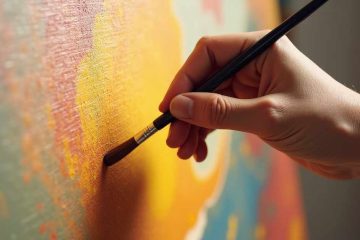
Close-up of a hand holding a paintbrush, applying warm-toned paint—mainly shades of yellow and orange—onto a textured canvas. The painting surface shows blended areas of color, suggesting an abstract or impressionistic style. The lighting highlights the brushstrokes and texture of the canvas.

How to Start Making Art

Feeling stuck at the starting line with your art? This post is a warm, down-to-earth pep talk for beginner creatives—full of encouragement, budget-friendly tips, and playful techniques to get you creating without pressure. It’s all about embracing mess, letting go of perfection, and just starting where you are. Because every artist begins somewhere.

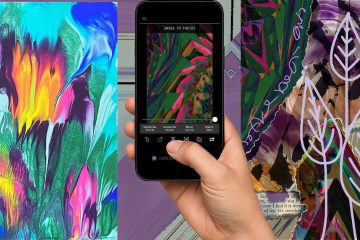
The image shows a collage of three abstract artworks, with a hand holding a smartphone in the center. The left panel features a vivid abstract painting with fluid, blended colors such as turquoise, orange, purple, pink, and green. In the center, a hand is holding a smartphone vertically. The phone screen displays a cropped, stylized version of the abstract art with editing options at the bottom, suggesting it’s being digitally altered or filtered. The right panel shows another abstract composition with similar color themes, overlaid with white line art of stylized leaves and some handwritten script. A snippet of printed text is partially visible at the bottom. The overall aesthetic emphasizes digital art creation and editing, blending organic and graphic elements.

How to Glitch Your Art for Wild Collage Patterns

Turn your doodles, paintings, or mark-filled pages into eye-catching digital art with Decim8—a glitch-art app that transforms photos into wild, abstract textures. It’s playful, unpredictable, and perfect for collage. Whether you’re layering digitally or printing pieces to cut by hand, this workflow fuses tradition and tech in a totally fresh, creative way.

An illustration features three people working on a large computer screen, symbolizing website development and optimization. The screen displays various interface elements, including a warning icon. One person is on a ladder holding a large wrench, another is on top of the screen adjusting a gear, and a third is lifting a large gear towards the screen. Surrounding them are floating gears and abstract shapes. The text at the top reads, "HOW PLUGINS CAN TRANSFORM YOUR PROFESSIONAL PORTFOLIO WEBSITE." The illustration has a modern, flat design style with a technology-focused theme.

Transform Your Portfolio with Plugins

Want to take your professional portfolio website to the next level? The right plugins can enhance design, improve user experience, boost SEO, and add interactive features—making your portfolio more engaging and effective. Whether you’re a designer, writer, or photographer, discover how plugins can transform your site into a powerful tool for career growth!

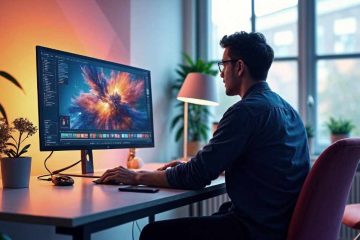
A man wearing glasses and a dark-colored shirt sits at a modern desk, working on a large computer monitor displaying a digital artwork of an explosion in space. The room has a warm, ambient glow from a desk lamp and indirect lighting on the walls. The workspace is neatly arranged with potted plants, a smartphone, a mouse, and a keyboard. A large window in the background lets in natural light, showing an outdoor view. The man appears focused as he interacts with the digital design software on his screen.

Image Composite vs. Collage: Key Differences & Tips

Not sure whether to call your artwork an image composite or a collage? While both involve combining elements, a composite seamlessly blends them into a single, cohesive scene, while a collage embraces contrast and layering. If you’re aiming for realism, mastering digital compositing is key—check out these essential tips to enhance your skills!

A close-up view of an abstract painting featuring vivid, swirling colors and a bubble-like texture. The artwork has a rich blend of turquoise, purple, orange, and black, with numerous circular and oval shapes scattered throughout, resembling soap bubbles or cells. The shapes vary in size and are layered, creating a sense of depth. The colors transition fluidly from dark to light, with highlights of glowing orange and contrasting teal and purple tones, emphasizing a dynamic and organic pattern.

Fluid Art Magic: Procreate’s Liquify Tool

Want to capture the vibrant beauty of acrylic paint pours, all digitally? In this guide, I’ll walk you through using Procreate’s Liquify tool to create mesmerizing fluid art effects that mimic real-life pours. From mastering essential settings to layering techniques for depth, learn everything you need to make striking, paint-like creations. Let’s dive into digital pouring!